
[MOD] [UI] Book Of Torment: skins.
 bzm
Member Posts: 50
bzm
Member Posts: 50
Primarily, this modification was created as a test and in response to the question/need: a side dialogue box.
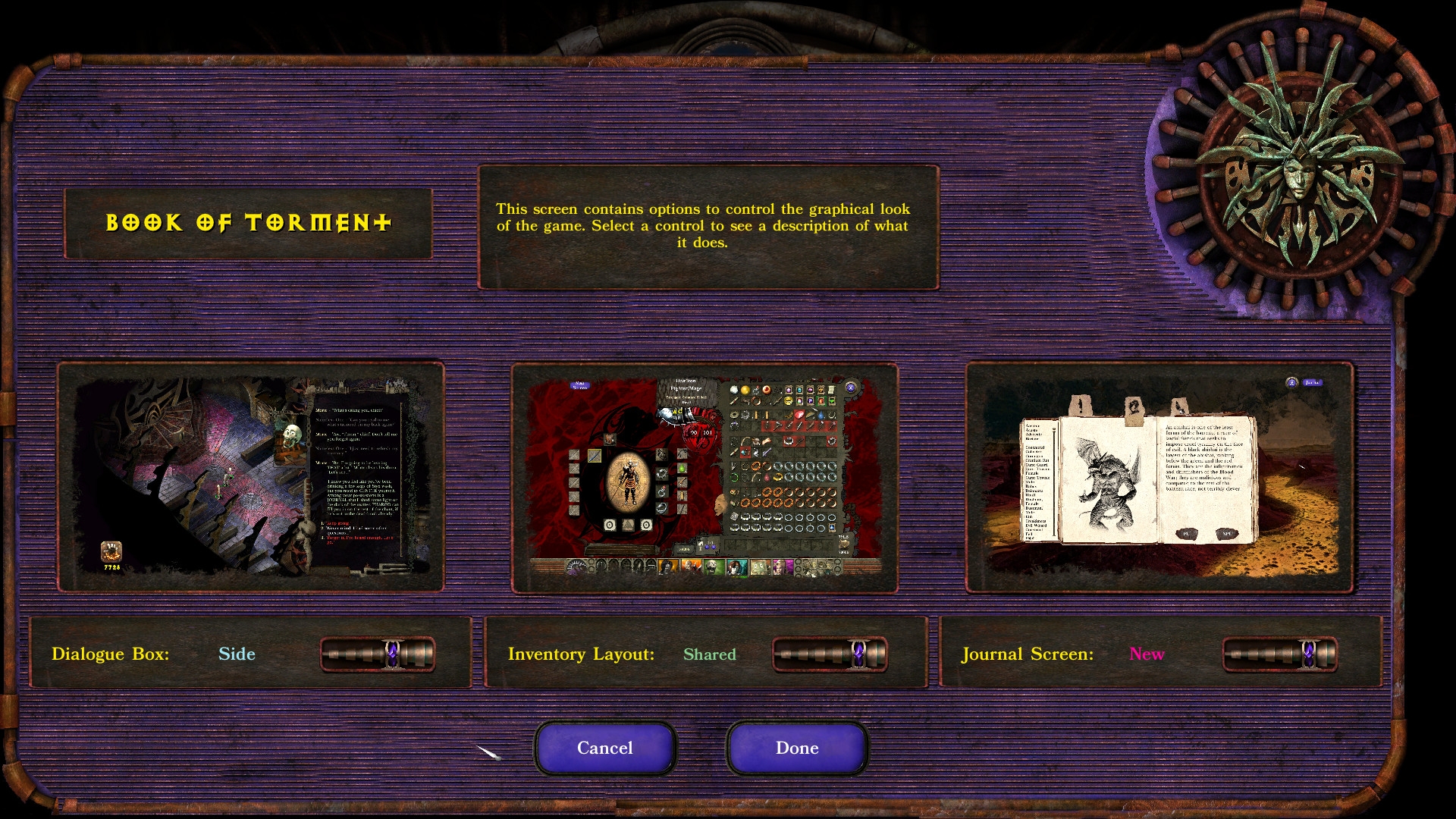
New version adds slider that allows to change dialogue box skins/inventory screens.
Keep in mind that this is still work in progress.
Screenshots: https://imgur.com/a/l4RrLcZ
Install notes:
Since v1.50 Weidu is required to install. More in readme.
How to set skins after install: Go to the graphics options in the game.
szef
New version adds slider that allows to change dialogue box skins/inventory screens.
Keep in mind that this is still work in progress.
Screenshots: https://imgur.com/a/l4RrLcZ
Install notes:
Since v1.50 Weidu is required to install. More in readme.
How to set skins after install: Go to the graphics options in the game.
szef
Post edited by bzm on
0
Comments
Folder is from 2023, and the file is latest (v1.45), but nexus is also fine
(I'll add link in first post).
v1.50 landed on github
Since this option increases the weight of the Baldur.lua configuration file with strings, it is uncertain whether and how it will affect the game; so it is experimental and optional.
As for slim down conf file: the simplest way is to delete Baldur.lua file, game creates it again, but keep in mind that all set options will back to default.
If you want slim down conf file by yourself: open Baldur.Lua (in my documents), then delete every entry starting with:
SetPrivateProfileString('Graphics','Dlg Responses Color','1')
SetPrivateProfileString('Dlg Color String','
Regarding the issue reported by user lightingflame on Nexus Mods about problems occurring after using the Chinese language patch from The Ring of Wonder: this was caused by a fix I added in the Chinese patch for a display bug that caused incorrect line breaks in Chinese. However, this fix interfered with proper modification of ui.menu during mod installation, leading to installation errors. I have therefore removed this fix from the Chinese patch. The issue should no longer occur now.
New reorganization of files, added compatibility with beta 3.2.x for lua files. Added italian translation (thx Sauler89).
Starting with version 2.0, I received permission to use Smeagolheart’s portrait patch code (thanks a lot), so BoT is now self-contained!